Sales Management
TrackAxo combines a Sales Analytics Dashboard with configurable tags, statuses, platforms, and budgets—plus CRM-style lead pipeline views—so reps spend less time fighting the system and managers see revenue, pipeline health, and forecasts in one place. When deals connect to delivery and billing, you get the upside of an ERP for software companies: fewer handoffs dropped between sales and operations.
-
For reps: One place for pipeline stages, next steps, and account history—less tab switching, more selling.
-
For leaders: Sales analytics and reporting plus performance tracking that ties activity to outcomes, not vanity metrics.
Connect sales to projects, HR & Payroll, and finance in TrackAxo.
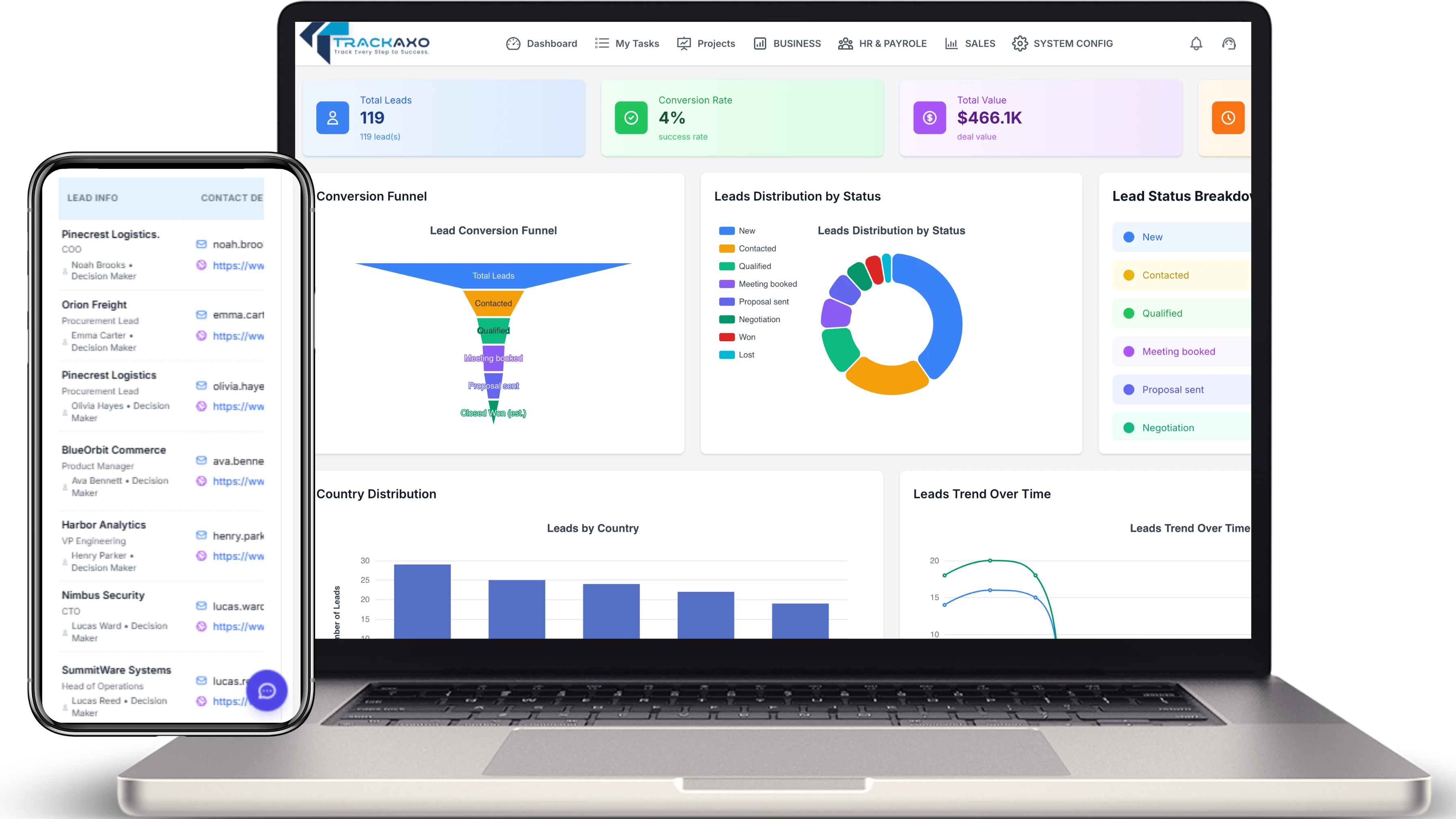
Sales Analytics Dashboard
One screen for revenue, pipeline health, and performance trends—slice by stage, owner, segment, or period so reviews start with live charts and drill-downs instead of rebuilding decks from exports.
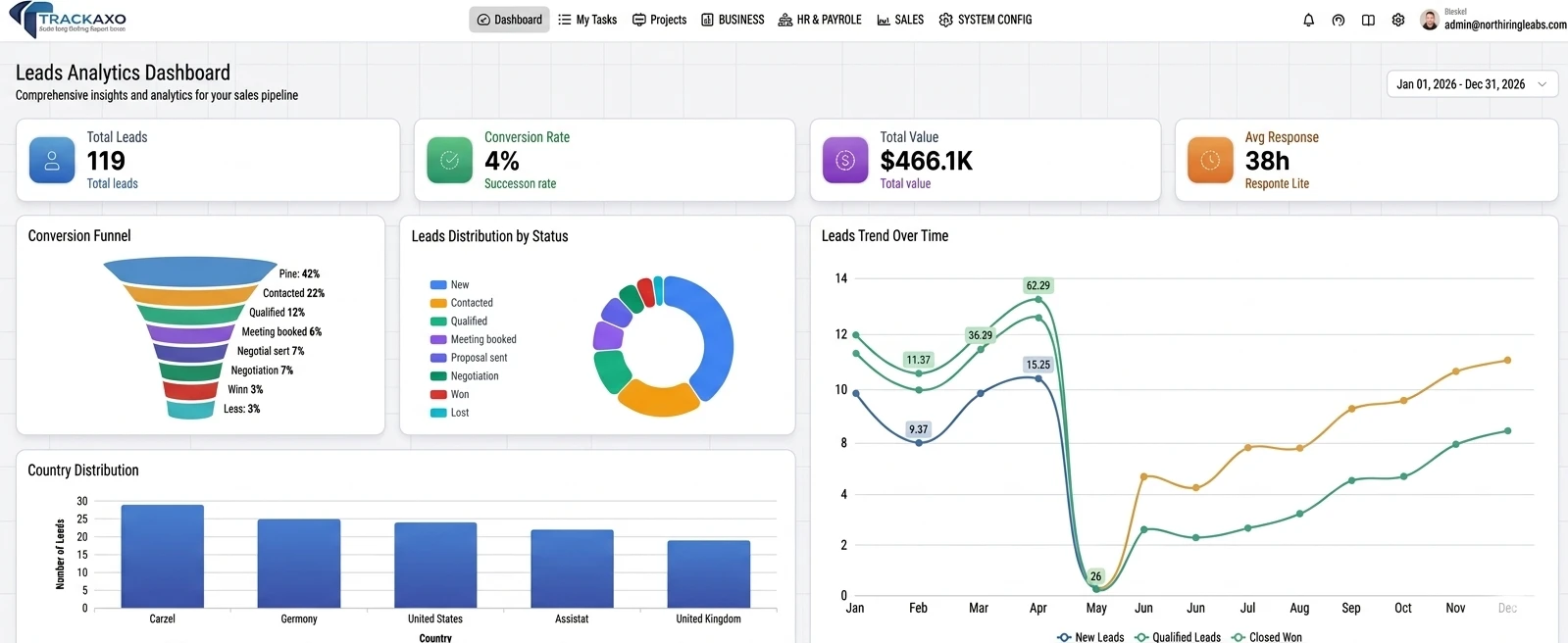
Lead pipeline and CRM relations
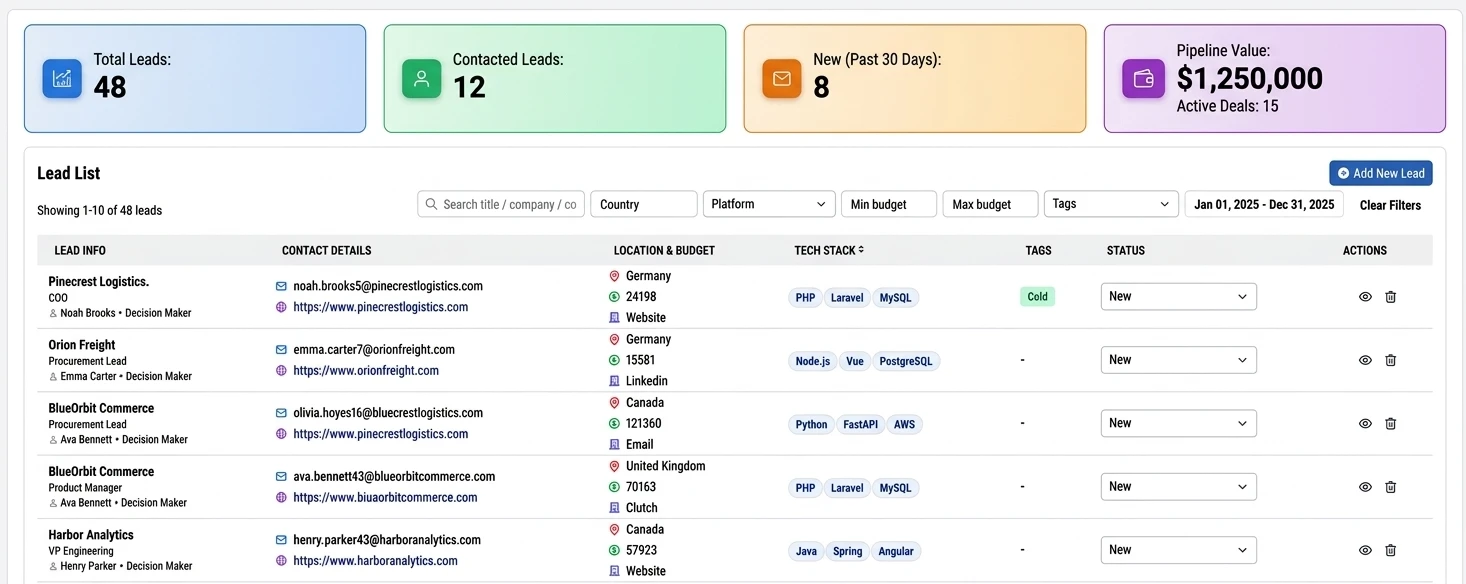
Summary tiles keep everyone aligned: total leads, contacted leads, new leads in the last 30 days, and pipeline value with active deal counts—so standups start from live numbers, not stale exports.
Filter the list, then act on every row
Search by title or company, narrow by country, platform, budget range, tags, and date range, then work a detailed table of lead info, contact details, location and budget, source, tech stack, and status—with quick actions to review or clear the noise. That is how CRM stays tied to the pipeline instead of a separate spreadsheet.
More platform features
Every card below opens another TrackAxo module—projects, finance, or HR—not another spot on this sales page.
Also explore project planning, tax management, and leave management on their dedicated pages.
Questions & Answers
Quick answers about Sales Management in TrackAxo.
-
What is TrackAxo Sales Management?
It is a sales module for pipeline tracking, lead workflows, customer context, and reporting in one system.
-
Can we improve lead-to-close conversion with TrackAxo?
Yes. Use lead prioritization, follow-up workflows, and pipeline visibility to reduce drop-offs and speed up deal movement.
-
How does sales reporting work for teams?
TrackAxo provides KPI summaries, pipeline reports, and activity visibility so managers and reps can align on targets.
-
Why use this with other TrackAxo modules?
As an ERP for software companies, TrackAxo connects sales with projects, HR, and finance, helping teams operate from shared data.
Have more questions? View FAQs · Contact us