HR & Payroll
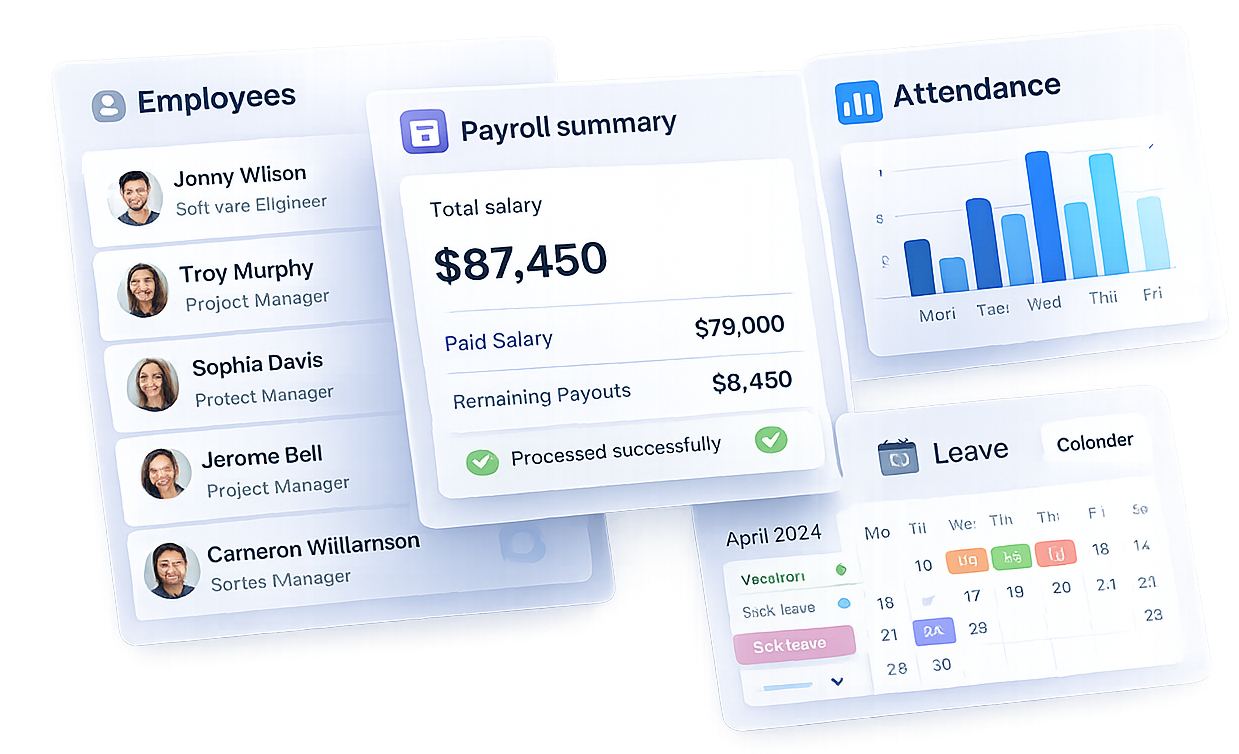
TrackAxo brings HR and payroll software for small business into one flow: employee profiles, attendance, leave, salary structures, and payroll reports leadership can trust. When you also run projects and finance in TrackAxo, you use it as an ERP for software companies—headcount and cost stay connected to real delivery.
-
What problems does it solve? Scattered spreadsheets for PTO, late payroll adjustments, and “who is available next sprint?” guesses. Replace them with one system of record.
-
What will my team notice? Clear policies, faster approvals, and payroll reports that are ready for compliance reviews—without exporting five different CSVs every month.
Pair HR with project management, financial management, and sales management in one platform.
Salary management
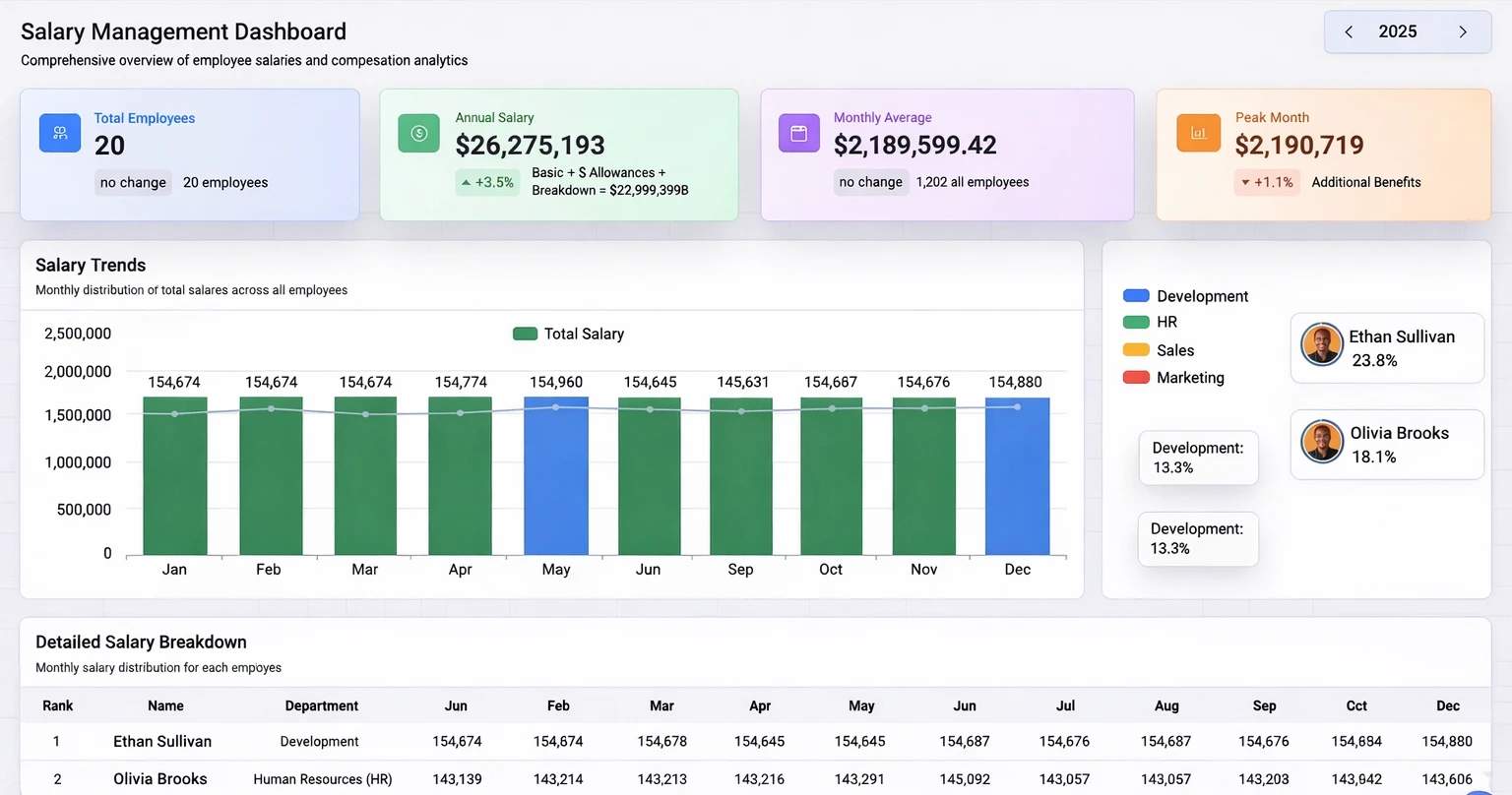
Make pay runs predictable: structure earnings and deductions, keep history clean, and cut HR–finance back-and-forth when pay changes.
Attendance and Leaves management
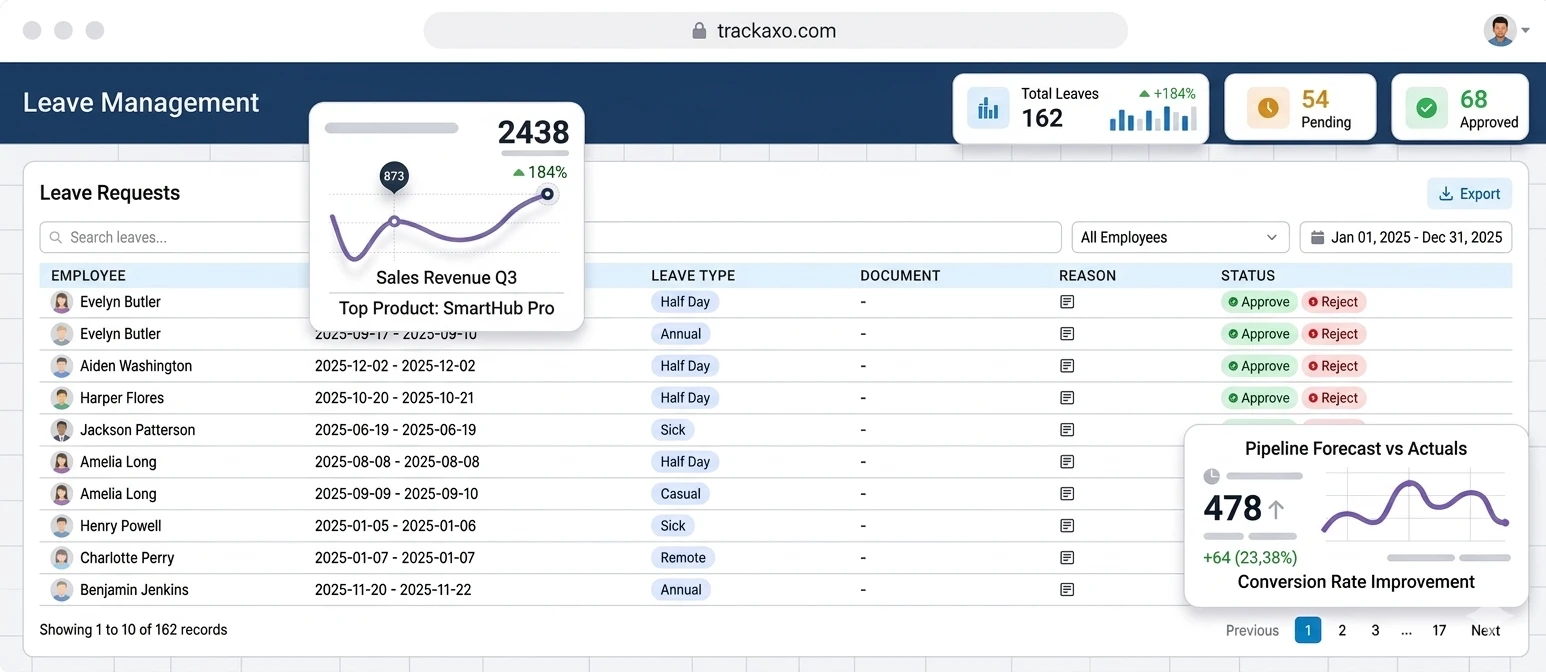
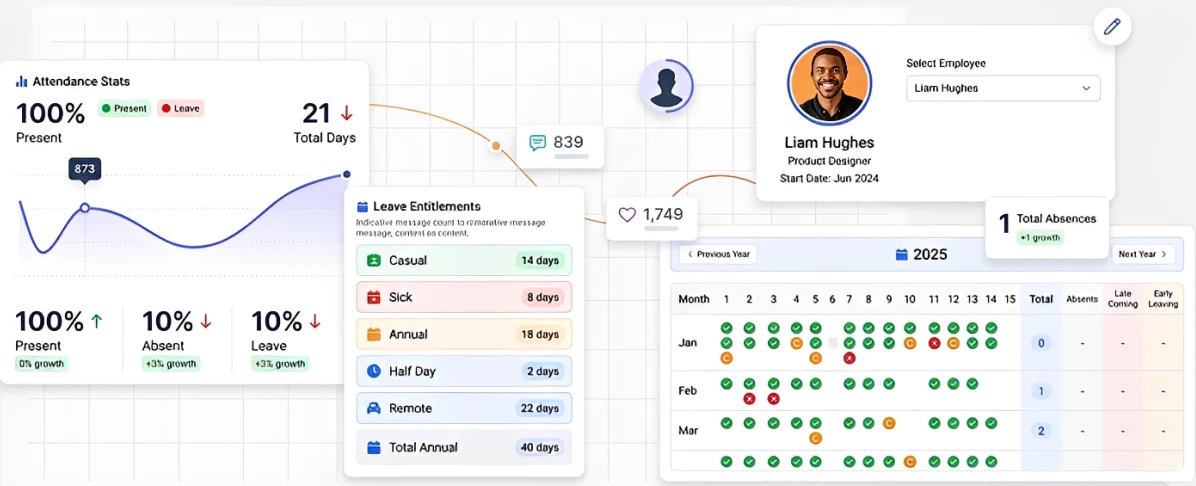
Monitor attendance records and leave details in one place: work the Leave Requests queue for approvals, then switch to Attendance Management for stats, entitlements, and a year grid per employee—with a path to full attendance logs when you need them.
Apply and manage leaves
Submit and review time off from one Leave Requests view: headline counts for total, pending, and approved; search leaves; filter by employee; pick a date range; export; and for each row see employee, period, leave type, document, reason, and status—with Approve and Reject and pagination through long queues.
Attendance
Attendance Management summarizes presence at a glance—present, absent, and leave trends with optional growth badges—then breaks down Leave Entitlements by type (casual, sick, annual, half day, remote, and totals). Select an employee to see profile context, step through the year, and read daily marks plus month totals for absences, late coming, and early leaving; use View Attendance Logs when you need the full trail.
HR analytics
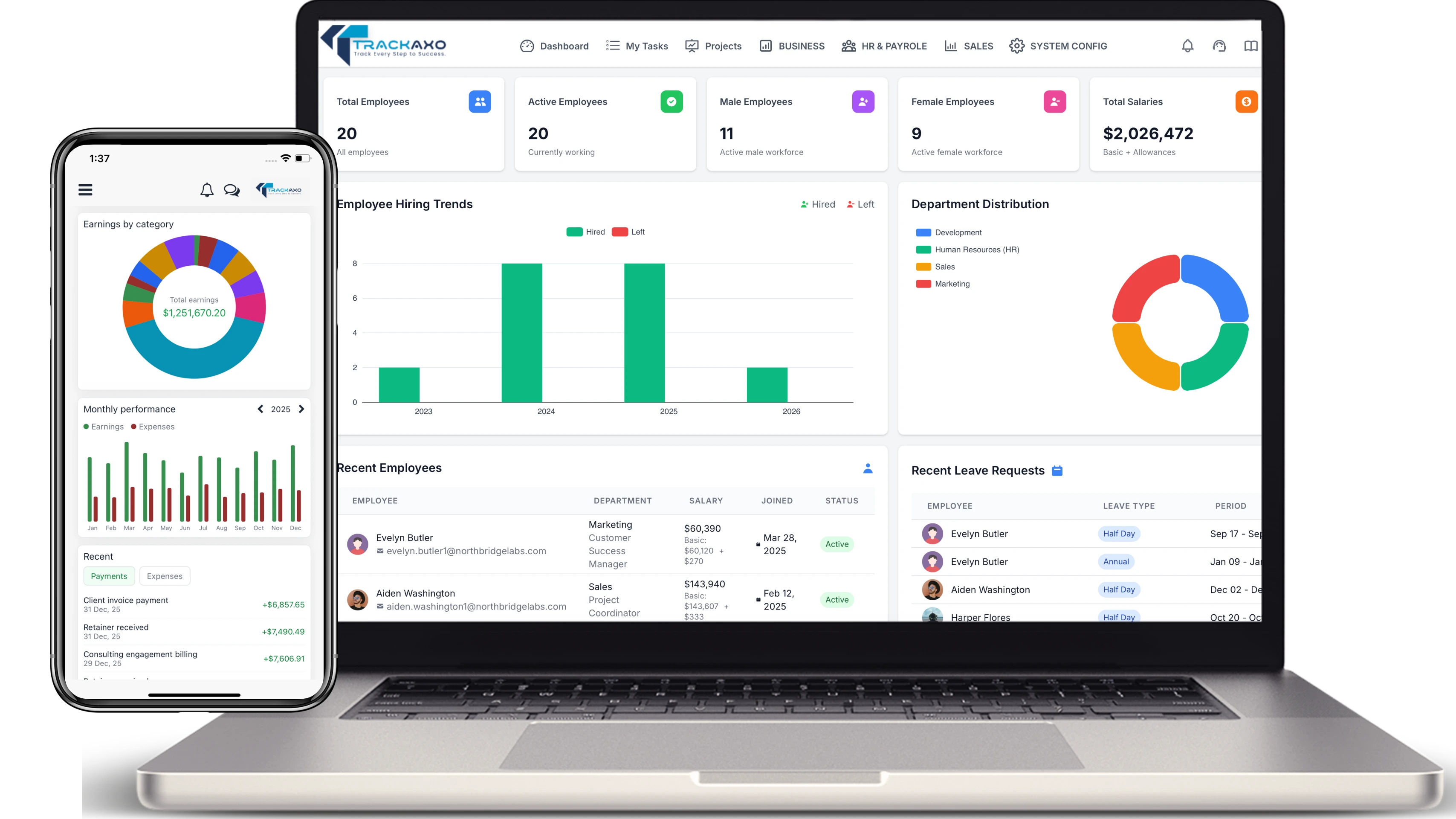
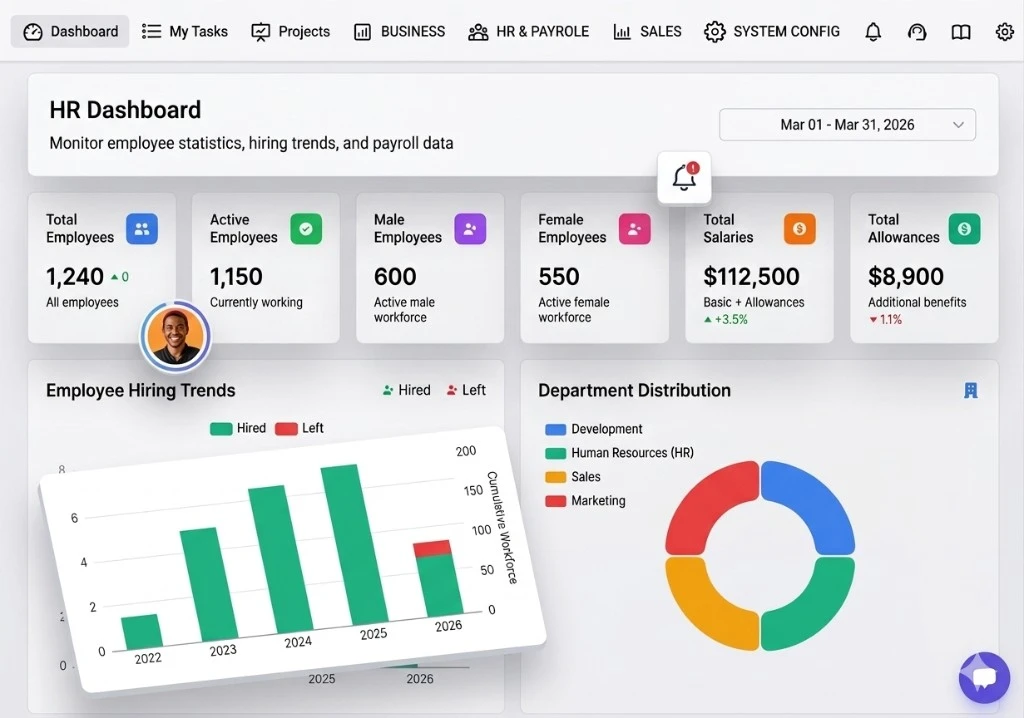
Monitor employee statistics, hiring trends, and payroll data in one place. Pick a period (for example a month range) and see the same headline numbers your leaders expect—without stitching spreadsheets.
Headcount, payroll, and org mix at a glance
Six KPI cards cover total and active employees, male and female workforce counts, plus total salaries (basic and allowances) and total allowances—each with short context labels and trend callouts where it matters.
Employee hiring trends compare hired vs. left over time alongside cumulative workforce, so growth and attrition stay visible in one chart.
Department distribution shows how people roll up across teams—Development, HR, Sales, Marketing, and the rest—using a clear breakdown you can act on for planning and budgets.
Employee management
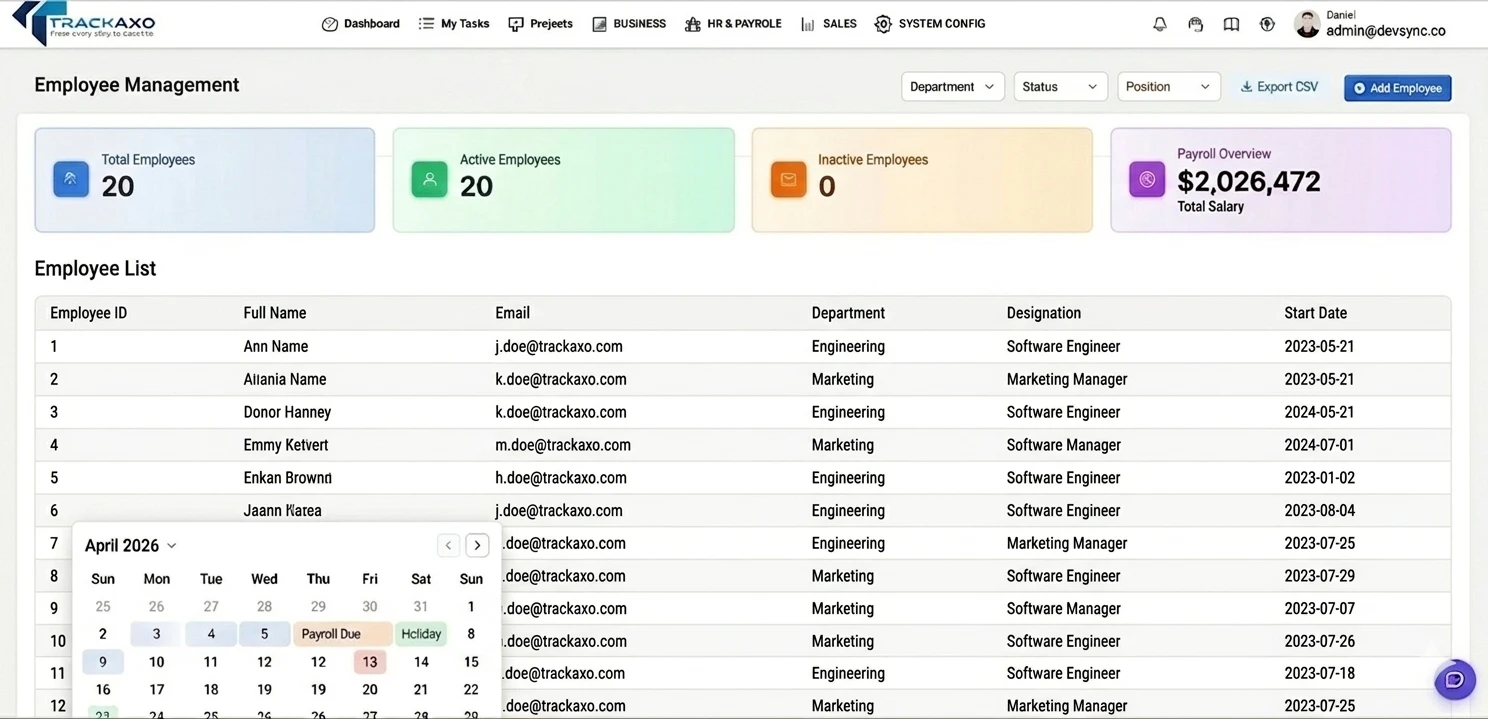
Employee management and attendance are only as good as the record behind each person. TrackAxo keeps org structure, roles, and HR context current so scheduling, access, and reporting stay accurate.
Profiles with employment details, reporting lines, and department tags that match how you actually ship work.
Skills and performance notes in one place—useful for staffing projects without opening a second HR tool.
Change history that helps HR and leads answer “what changed?” during audits or handoffs.
More platform features
Every card below opens projects, finance, or sales—no duplicate links back into this HR page.
Also explore team collaboration, income management, and sales analytics on their dedicated pages.
Questions & Answers
Quick answers about HR & Payroll in TrackAxo.
-
What does TrackAxo HR & Payroll include?
It includes employee records, attendance, leave, salary structures, and reporting tools so HR teams can manage operations from one dashboard.
-
Can we automate attendance and leave workflows?
Yes. TrackAxo supports attendance logs, applying for leave, approval flows, filters, and export so teams can manage requests without spreadsheet chasing.
-
Is it suitable for growing software companies?
Yes. The module is built as part of an ERP for software companies, so HR data connects with projects, finance, and reporting workflows.
-
How does payroll reporting help compliance?
TrackAxo centralizes salary inputs and payroll summaries to produce clear, audit-friendly reports for leadership and compliance reviews.
Have more questions? View FAQs · Contact us