Project Management
TrackAxo gives small and growing teams one place to plan work, run tasks with real collaboration, and see progress without juggling spreadsheets and chat threads. It sits alongside HR, finance, and sales as part of an ERP for software companies, so delivery is not isolated from the rest of the business.
-
Who is it for? Agencies, consultancies, and product teams that want practical project management software for small business: clear ownership, realistic timelines, and honest status for stakeholders.
-
What do you get? Project planning and milestone tracking, shared execution, client project tracking, and project reporting and analytics—so you can fix delays before they become surprises.
Explore HR & Payroll, Financial management, and Sales management in the same platform.
Team collaboration
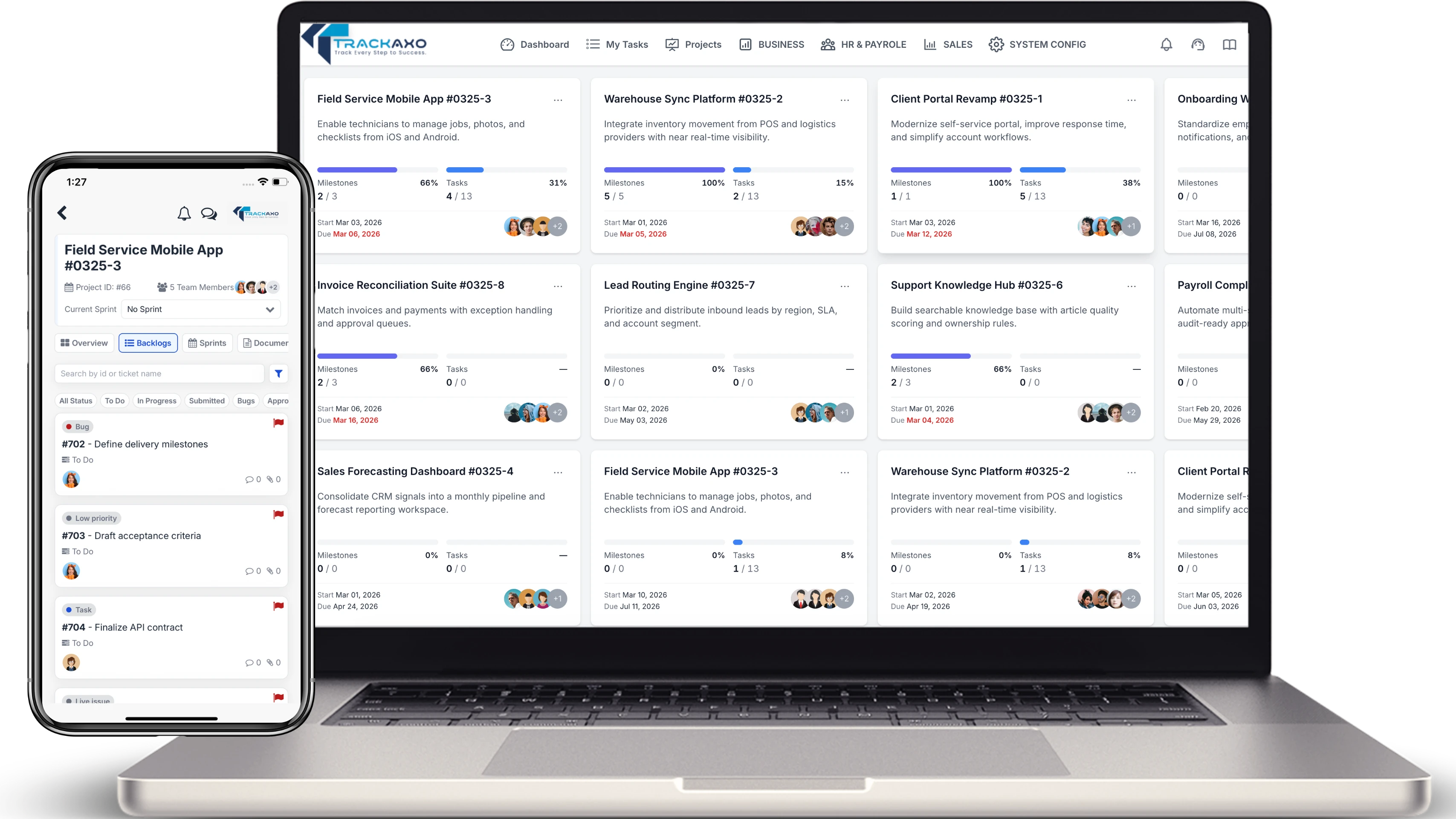
When work spans roles and time zones, you need a single thread of truth: who is doing what, what changed, and what is blocked—without losing context in email.
Project planning and milestone tracking
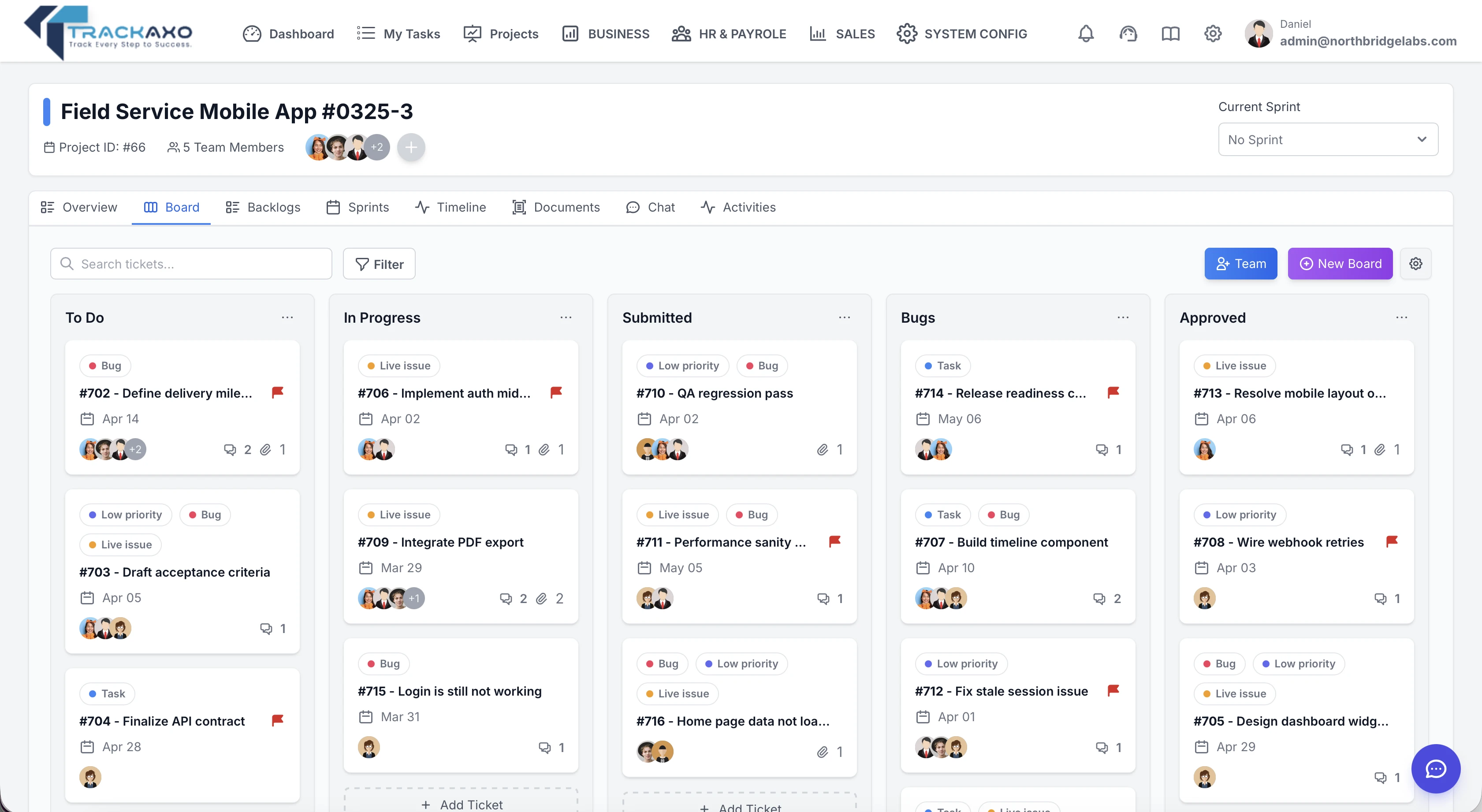
Break delivery into phases people can commit to. Solid project planning and milestone tracking help you see slip early—before dates are promised to clients.
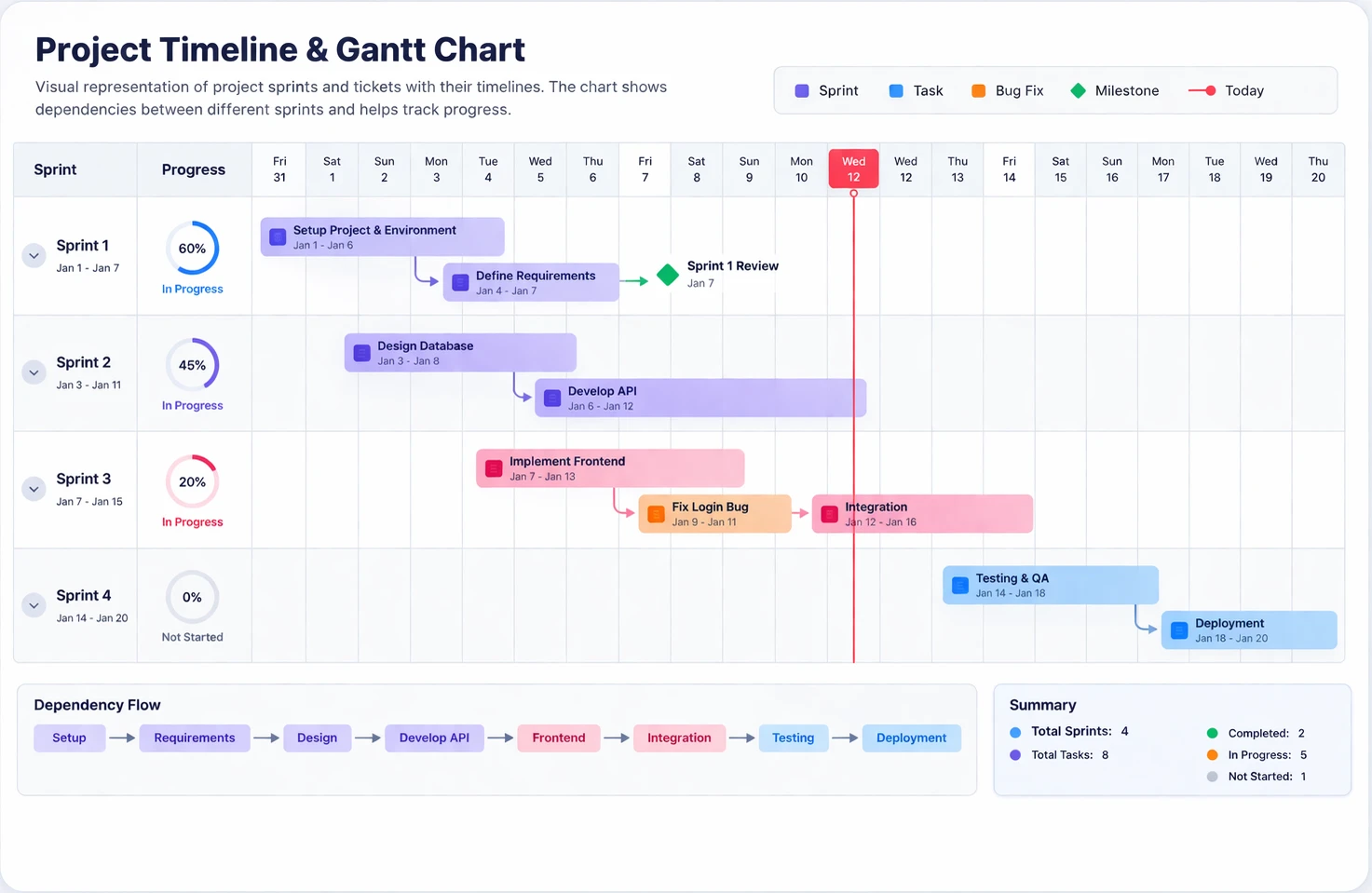
Timelines and milestones
Model phases, gates, and dependencies so the team agrees on what “done” means per milestone. When dates move, everyone sees the impact—not just the project lead.
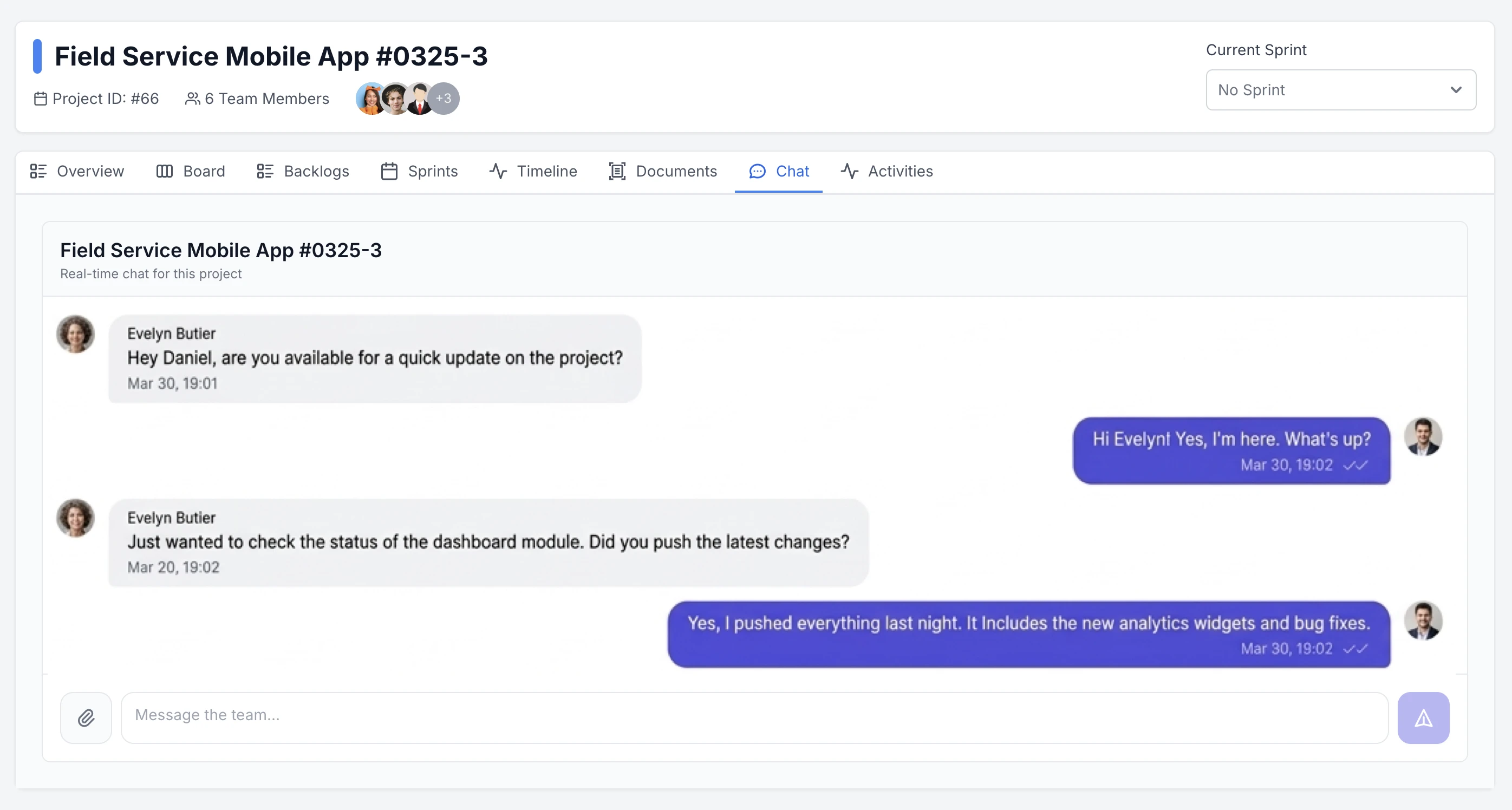
Live Project chat
Discuss work where it lives: project chat keeps decisions next to tasks and boards, with a clear thread for scope questions, blockers, and updates—so context does not get lost across email and DMs.
Project dashboard
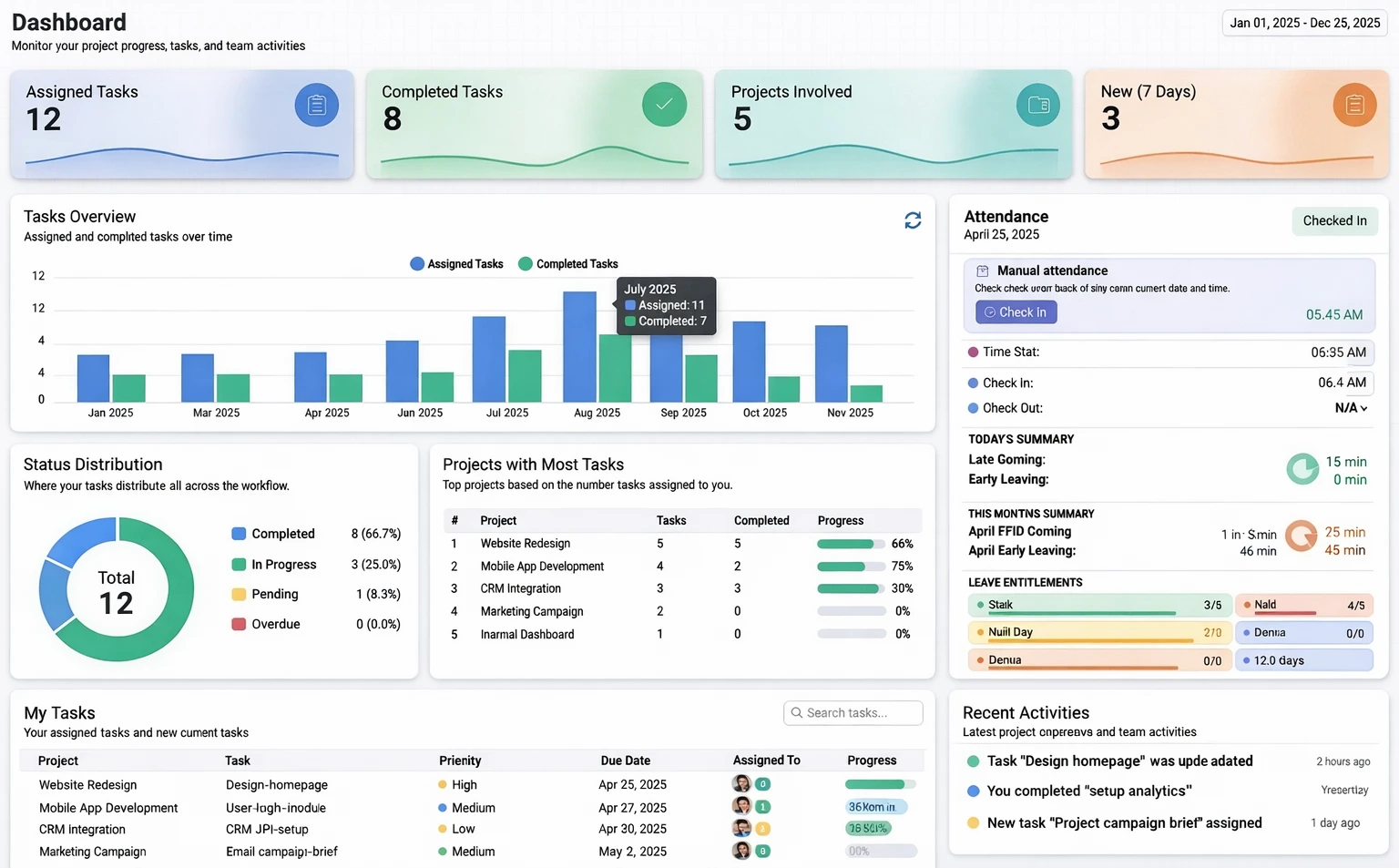
Monitor project progress, tasks, and team activity in one screen—filtered by date range so you can review a week, a quarter, or the full year.
KPIs, charts, and your task list in one view
The dashboard opens with quick metrics—assigned and completed tasks, how many projects you touch, and what is new in the last seven days—then visual trends and tables so you see workload and completion at a glance.
-
Tasks overview & status mix
Compare assigned versus completed work over time in a bar chart, and see how tasks split across completed, in progress, pending, and overdue in a clear status breakdown.
-
Projects with the most work
Rank projects by open tasks and completion progress so you know where delivery is concentrated before deadlines tighten.
-
My Tasks with priority and due dates
Scan your own assignments by project, priority, due date, and status—so daily planning starts from one table instead of scattered boards.
-
Attendance, leave, and recent activity
Alongside project work, check check-in, late and early patterns, leave balances, and a live feed of task updates—people and delivery in the same visit.
-
Live KPI tiles at the top
Scan assigned and completed counts, how many projects you are in, and what landed in the last seven days—before you drill into charts or tables.
-
Date-range filtering
Set a week, month, quarter, year, or custom range so KPIs, charts, and lists all reflect the same period—ideal for sprints, reviews, or leadership check-ins.
Client Management
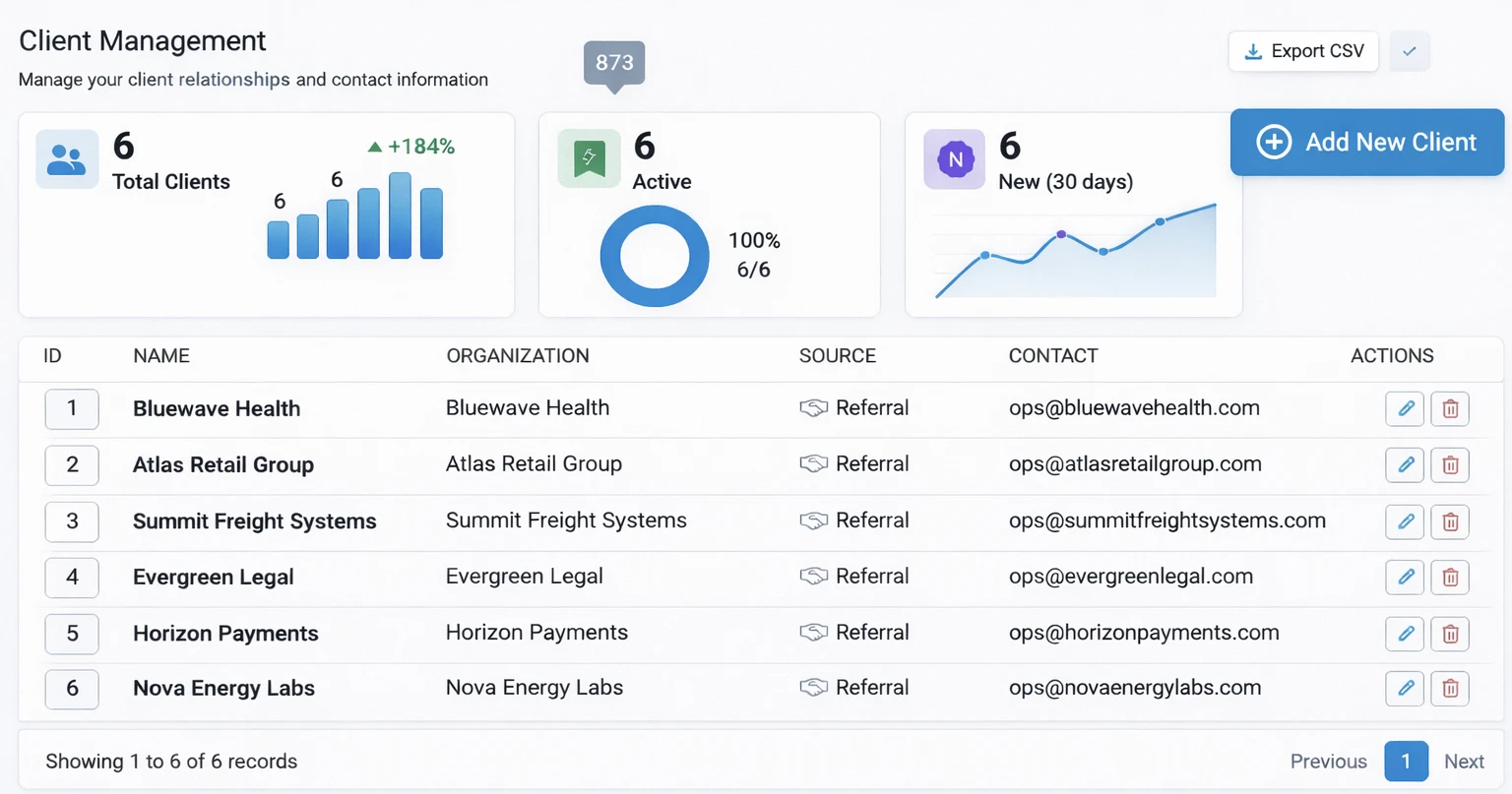
Keep every account’s story in one system: who said what, what you promised, and what shipped—so handoffs between sales, delivery, and support do not reset context from zero.
Aligned clients, fewer surprises
Tie conversations and decisions to tasks and milestones, preserve history for renewals and audits, and give stakeholders a clear line of sight—optional portal views when you want clients in the loop without full access.
More platform features
Every card below opens HR, finance, or sales—nothing here points back into Project Management.
Also explore budget planning, sales configuration, and HR analytics on their dedicated pages.
Questions & Answers
Quick answers about Project Management in TrackAxo.
-
What is project management software in TrackAxo?
TrackAxo provides project planning, task management, milestones, and reporting in one workspace. It is designed for teams that need execution visibility and predictable delivery.
-
How quickly can a software team get started?
Most teams can set up projects, members, and task workflows in a few hours. You can start with core boards first, then enable deeper reporting as your process matures.
-
Can we track progress and deadlines in real time?
Yes. TrackAxo provides live status updates, due-date visibility, and team-level progress metrics so managers can identify blockers early.
-
Why choose TrackAxo for project operations?
TrackAxo combines project execution with HR, finance, and sales data in one ERP for software companies, reducing tool switching and improving accountability.
Have more questions? View FAQs · Contact us