Desktop Tracker App
TrackAxo Desktop Tracker gives teams one workspace to assign ownership, monitor progress, and close work on time. It connects daily execution with HR, finance, and sales so status is always tied to real business outcomes.
Who is it for? Teams that need a clear system to track responsibilities, blockers, and deadlines across projects.
What do you get? Tracker dashboard, task tracking, timeline progress, and owner updates with complete activity history.
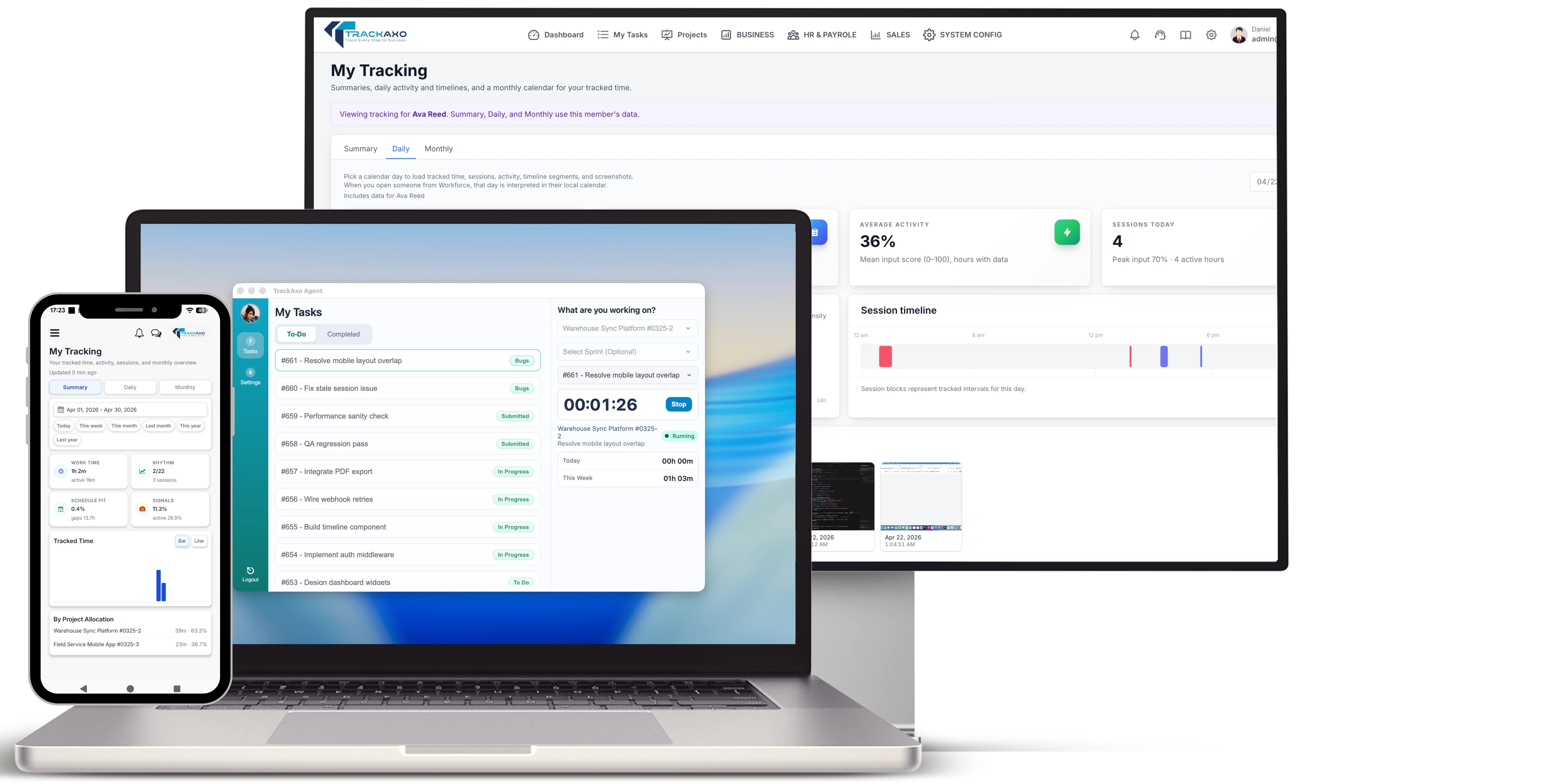
Task tracking
Create tasks, set priorities, assign owners, and move work through statuses with full traceability.
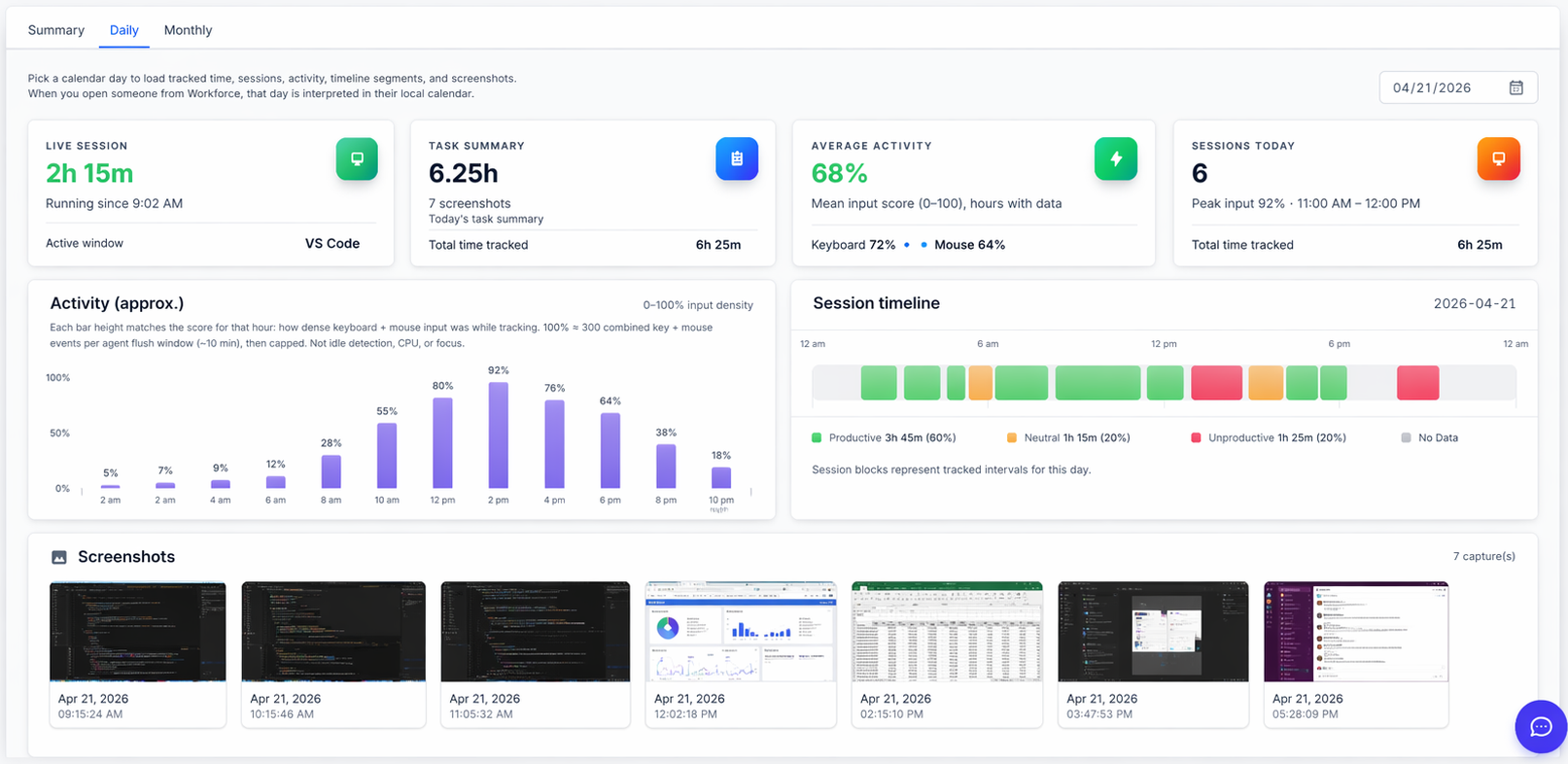
Daily view
Check today's live session status, task summary, average activity, and sessions logged to quickly spot who is active and where follow-up is needed.
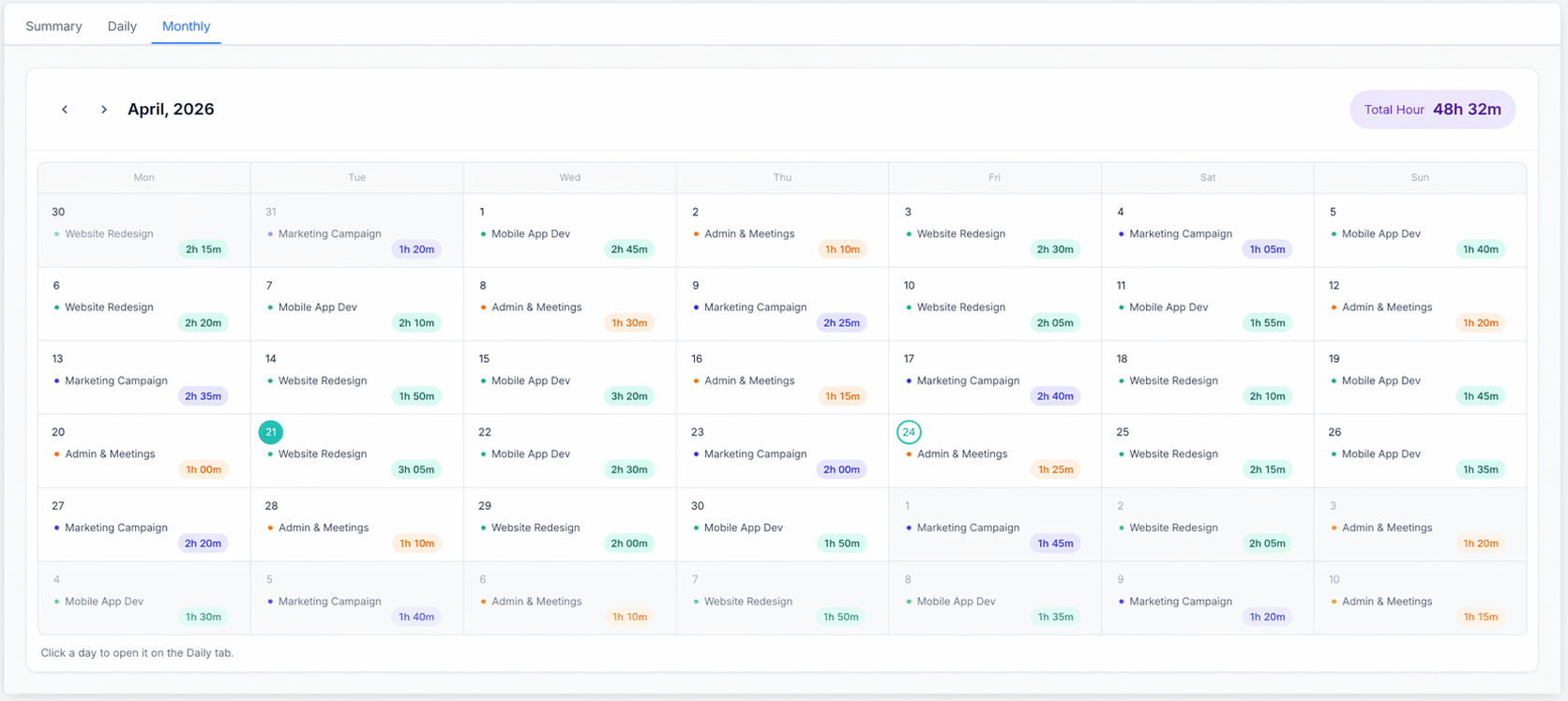
Monthly view
Review the month range summary with total work time, active days, schedule-fit percentage, and screenshot coverage to evaluate consistency over time.
Tracker Summary
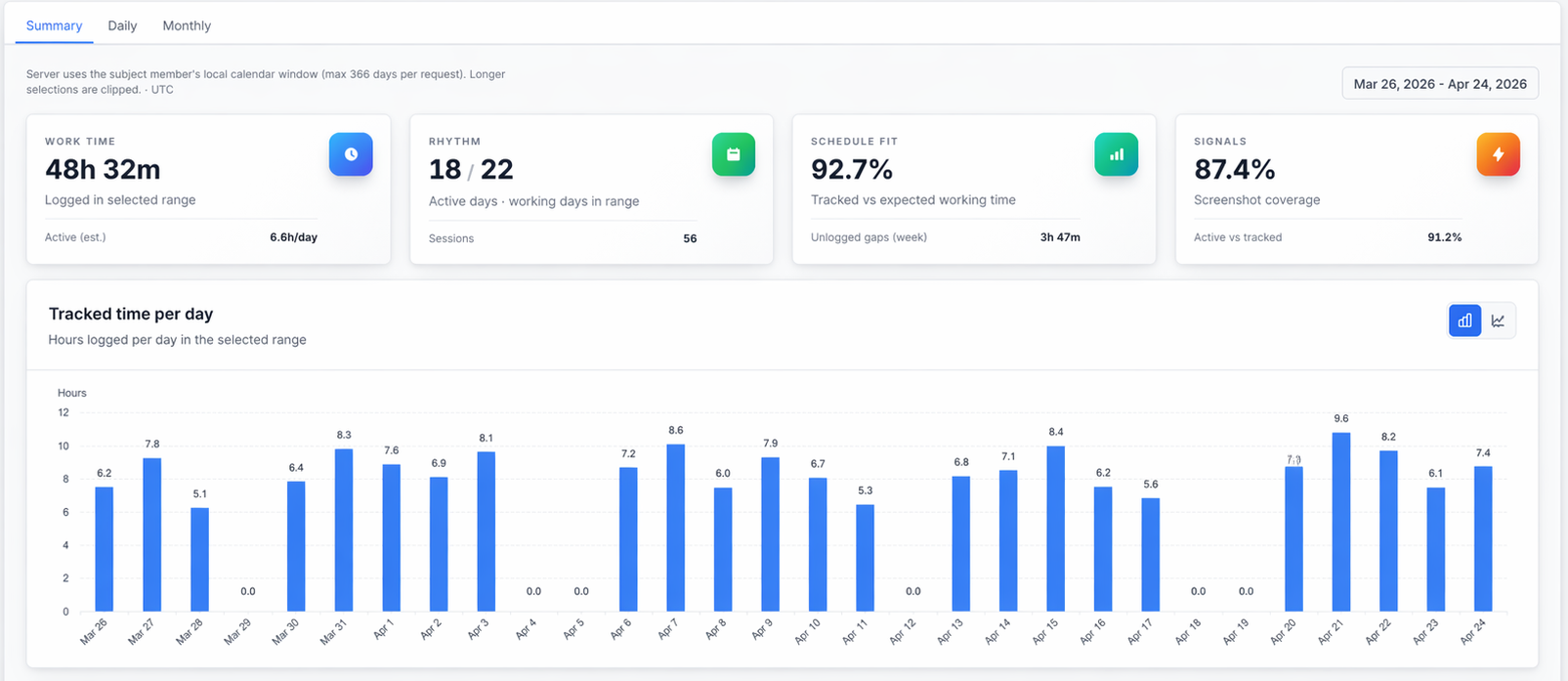
Use one summary screen to review work time, rhythm, schedule fit, signals, and tracked-time trends for the selected period.
Summary metrics at a glance
Work Time
Total logged time in the selected date range, with quick visibility for zero-time days.
Rhythm
Shows active days and sessions in range to highlight work consistency.
Schedule Fit
Tracked time versus expected working time, including unlogged gap indicators.
Signals & Tracked Time Per Day
Screenshot coverage and daily logged-time chart for summary, daily, and monthly analysis.
More platform features
Desktop Tracker works alongside HR, finance, and sales modules inside the same TrackAxo workspace.
Questions & Answers
Quick answers about Desktop Tracker App in TrackAxo.
-
What is Desktop Tracker App in TrackAxo?
Desktop Tracker App is a centralized execution workspace for managing assigned tasks, monitoring due dates, and capturing real-time status updates across teams.
-
Can we track assigned tasks, blockers, and daily progress updates?
Yes. Each assigned task keeps update notes, blocker details, priority, status changes, and timestamps so progress reviews are clear and auditable.
-
Does Desktop Tracker support timeline and deadline visibility?
Yes. You can monitor due dates, overdue risk, milestone movement, and planned-versus-actual execution from tracker dashboards and list views.
-
Are tracker reports available for team leads and management?
Yes. Desktop Tracker provides assigned-task and team-level progress summaries that help managers review completion rates, delays, and execution bottlenecks.
-
How does Desktop Tracker connect with HR, finance, and sales modules?
Desktop Tracker runs inside the same TrackAxo platform, so execution data stays aligned with HR operations, financial visibility, and sales context in one connected workflow.